

Porofessor is a companion tool for League of Legends that helps you make faster, smarter decisions before, during, and after your games. Here’s what its most useful features do, and how to use them.
How to Download Porofessor?
Porofessor offers a simple download and setup process, and once it’s installed you can link it to your League of Legends account, choose what overlay panels you want, and adjust the layout so it fits your screen. We’ll walk you through a quick tutorial on how to download Porofessor, set it up properly, and enable the features that matter most for your games.
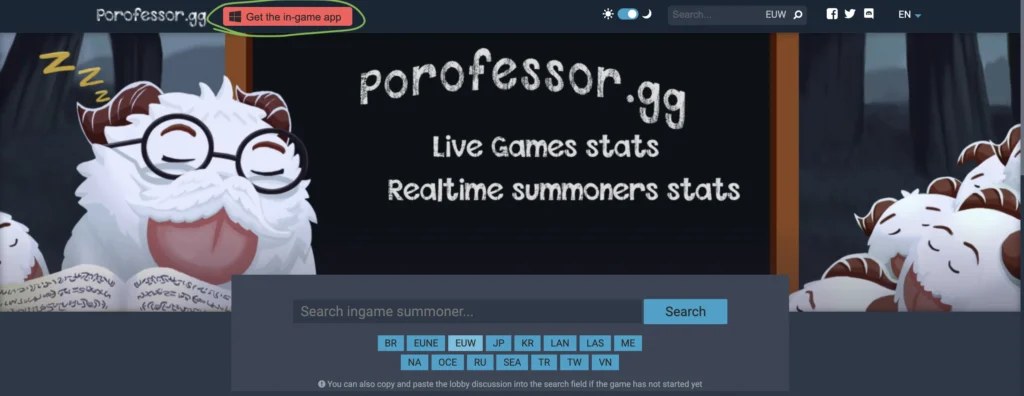
1) Go to the official Porofessor site
- Go to Porofessor.gg.
- Avoid random download sites.
2) Pick how you want to install it
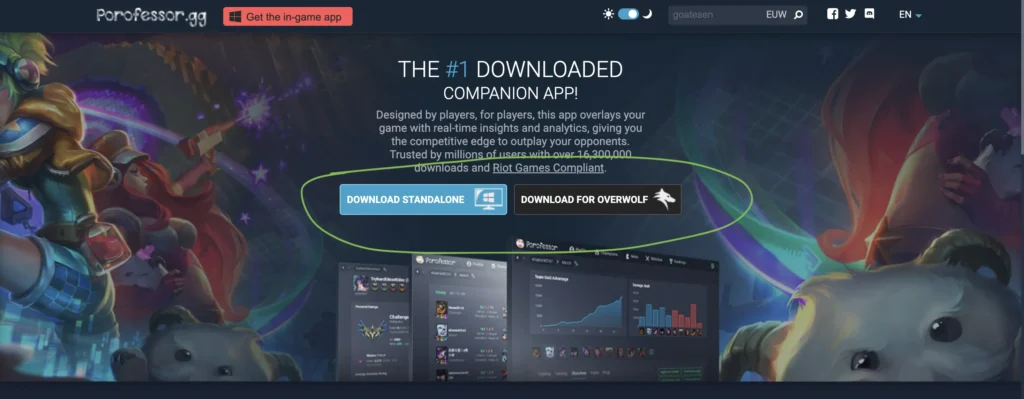
You will usually see two options:
- Standalone: easiest for most people
- Overwolf version: if you already use Overwolf apps
3) Download and install
- Click download
- Open the installer
- Follow the install prompts
- Launch Porofessor when it finishes
4) Connect your League account
Inside Porofessor:
- Select your region (EUW, EUNE, NA, etc.)
- Search your summoner name
- Confirm your profile
5) Turn on the features you want
Keep it simple at first:
| Where | Recommended to enable |
|---|---|
| Champion select | Matchup review, player tags |
| In game | Objective timers, team gold |
| After game | Post match review |
6) Start League and test it
- Keep Porofessor running
- Open League of Legends
- Enter a Practice Tool or Normal game
- Check if the overlay appears
Quick fixes if it does not work
- Restart both League and Porofessor
- Disable other overlays (Discord, GeForce, Steam) and try again
- Run League in borderless or windowed mode if the overlay is missing

Porofessor features
These are the key features Porofessor provides to help you play smarter and improve faster in League of Legends. From pre-game tools like Prepare for Battle, Matchup Review, and Player Tags, to learning-focused features like Post Match Review, Champion Rankings, and Pro Replays, Porofessor gives you quick, easy-to-understand insights at every stage of a match, before you queue, while you play, and after the game ends.
Prepare for Battle!
This is Porofessor’s pre-game help. It’s about giving you a plan before the first minion even spawns.
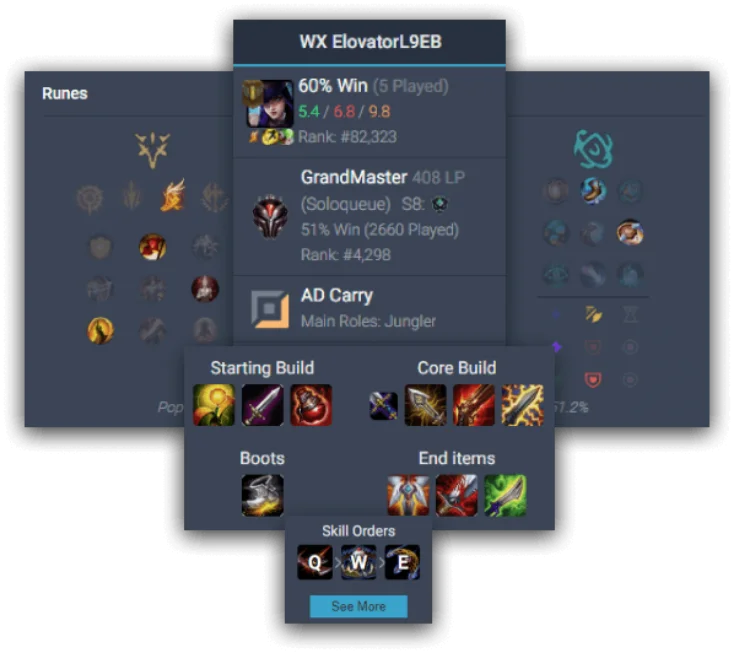
What you typically get:
- A quick read of both teams, who looks strong, who looks risky
- Suggested priorities like early warding, lane danger, and win conditions
- Helpful reminders like who needs to scale, and who wants early fights
How to use it:
- Pick one simple plan: play for bot, protect top, invade, or scale
- If a lane looks vulnerable, ward earlier and ping likely paths
- If your team scales better, avoid forced fights early
Matchup Review
Matchup Review is a quick breakdown of how your champion generally performs into the opponent’s champion.
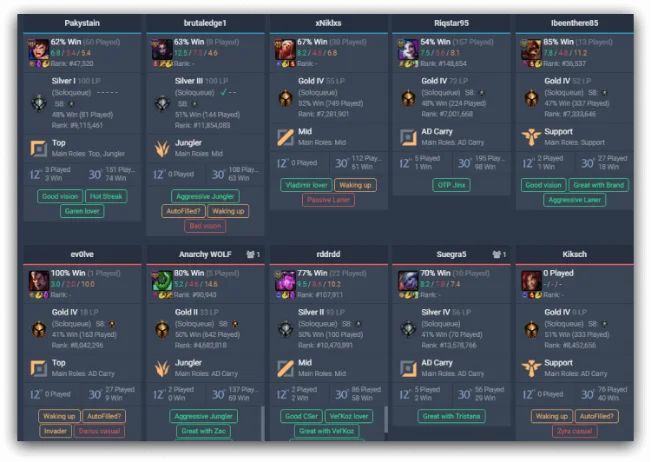
What you might see:
- A snapshot of the lane matchup difficulty
- Tips like what to avoid, what spikes first, and how the lane tends to play
- Sometimes build direction hints for the matchup
How to use it:
- If the matchup is hard, focus on safe waves and smart resets
- If the matchup is winning, pressure with wave control and good vision
- Use it to pick a clear first item goal instead of guessing
Player Tags
Player Tags are short labels that describe habits or trends for players in your lobby, based on their recent games and stats.

Common tag types:
- Playstyle: aggressive, passive, roam heavy
- Strengths: strong farming, high damage, good vision
- Patterns: streaks, role swapping, champion spam
How to use it:
- Respect aggressive laners by warding earlier and tracking cooldowns
- Target players with weak trends by punishing predictable habits
- Support players with strong tags by playing around them
Post Match Review
This is where Porofessor helps you actually improve. It turns the game into a review session, not just a win or loss.
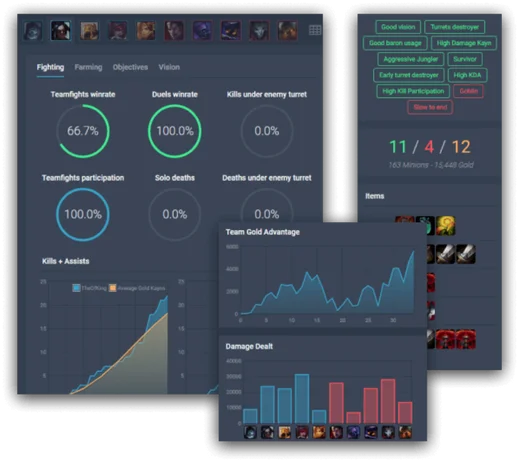
What you can review:
- CS and gold pacing over time
- Damage and kill participation
- Vision, wards placed, and where you warded
- Objective contribution and teamfight impact
A simple review checklist:
- Did I fall behind in CS, and when did it start?
- Did I die to ganks, or to bad fights?
- Was my warding early enough, and in useful spots?
- Did my build match what the enemy team did?
Champions Rankings
Champion Rankings are Porofessor’s meta view: which champions are performing well right now, often by role.
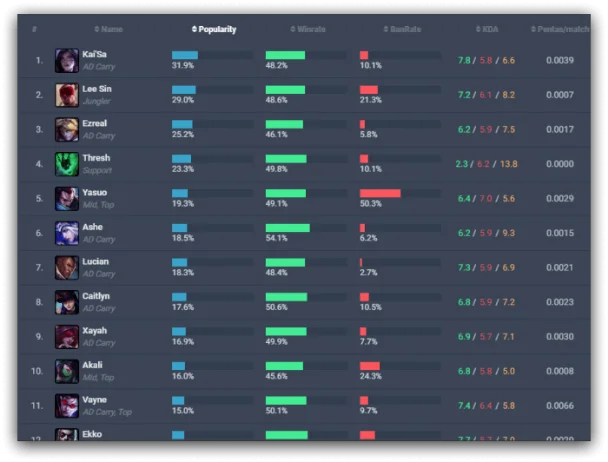
What it helps with:
- Finding strong, reliable picks when you want to climb
- Avoiding traps that look fun but are underperforming
- Seeing what is popular so you can prepare counters
Best way to use it:
- Pick 1–2 strong champs for your role, then stick with them
- Use rankings as a starting point, not a rule, comfort still matters
- If a champ is everywhere, learn one counter and one ban option
Pro Replays
Pro Replays lets you learn by watching how high-ranked players handle matchups and game flow.
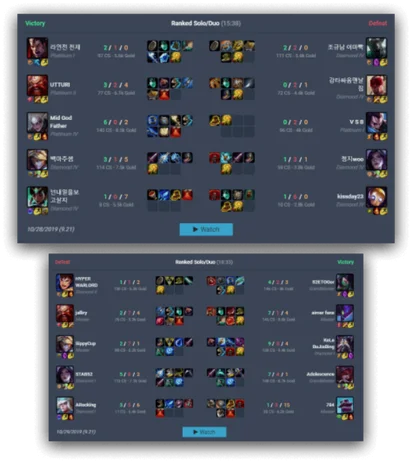
What to focus on while watching:
- First 5 minutes: wave control, jungle tracking, trading patterns
- First recall: how they time resets and what they buy
- Mid game: where they stand on the map and why
- Teamfights: target choice, positioning, and patience
How to use it without overthinking:
- Copy one thing per replay, like a ward timing or a first-item choice
- Compare it to your own games in Post Match Review, then adjust
Porofessor.gg FAQ
Is Porofessor.gg allowed to use in League of Legends?
Porofessor is a third-party companion tool that provides information overlays and stats. Riot’s third-party app rules can change over time, so it’s smart to check the latest guidance, and keep the overlay features within what’s permitted.
Does Porofessor work during live games or only after the match?
Both. You can use it before and during the game for prep, matchup info, and player tags, then use it after the match for a detailed performance review.
What are Player Tags and how should I use them?
Player Tags are quick labels that describe trends or habits for players in your lobby. Use them to adjust your plan, like ward earlier versus aggressive junglers or respect strong laners.
Can Porofessor import runes and builds automatically?
Yes, Porofessor can help you set up runes and builds quickly, typically with one-click import features, depending on how you run the app and your client setup.
Is Porofessor useful if I’m not a ranked player?
Absolutely. Even in normals or ARAM-style learning games, it helps you understand matchups, track improvement over time, and spot simple fixes like better ward timing or cleaner farming.
Does Porofessor support Teamfight Tactics too?
Yes. It includes TFT-focused features like comp suggestions, tier lists, and quick reference tools that help you build stronger boards without constantly alt-tabbing.
Will Porofessor affect my FPS or make the game run slower?
In most cases, it’s designed to run lightly in the background, but performance can vary depending on your PC and what overlay features you enable. If you notice drops, try disabling heavier panels or closing other overlay apps.
What’s the difference between Porofessor and other stat sites like OP.GG?
Porofessor focuses heavily on an in-game overlay experience, with live info like player tags, matchup tips, and timers, while many stat sites are mainly for pre-game lookup and post-game history.
Can I use Porofessor on a second monitor instead of an overlay?
Yes. You can use the Porofessor website or app window on a second monitor for scouting and post-game review, and keep the in-game overlay minimal or turned off.
Is Porofessor worth using if I already know my champion builds?
Yes, because it is not only about builds. The biggest value is scouting players, understanding matchups, tracking objective timers, and using post-game insights to spot patterns in your performance.




0 Comments